Your brand on every quote
Your logo, company, contact details and tax or VAT ID, saved once and added to every document.
Add your logo and details once. Then fill in the client, line items, discounts and tax, and save a professional quote as PDF. When they say yes, turn it into an invoice with one click.
Your logo, company, contact details and tax or VAT ID, saved once and added to every document.
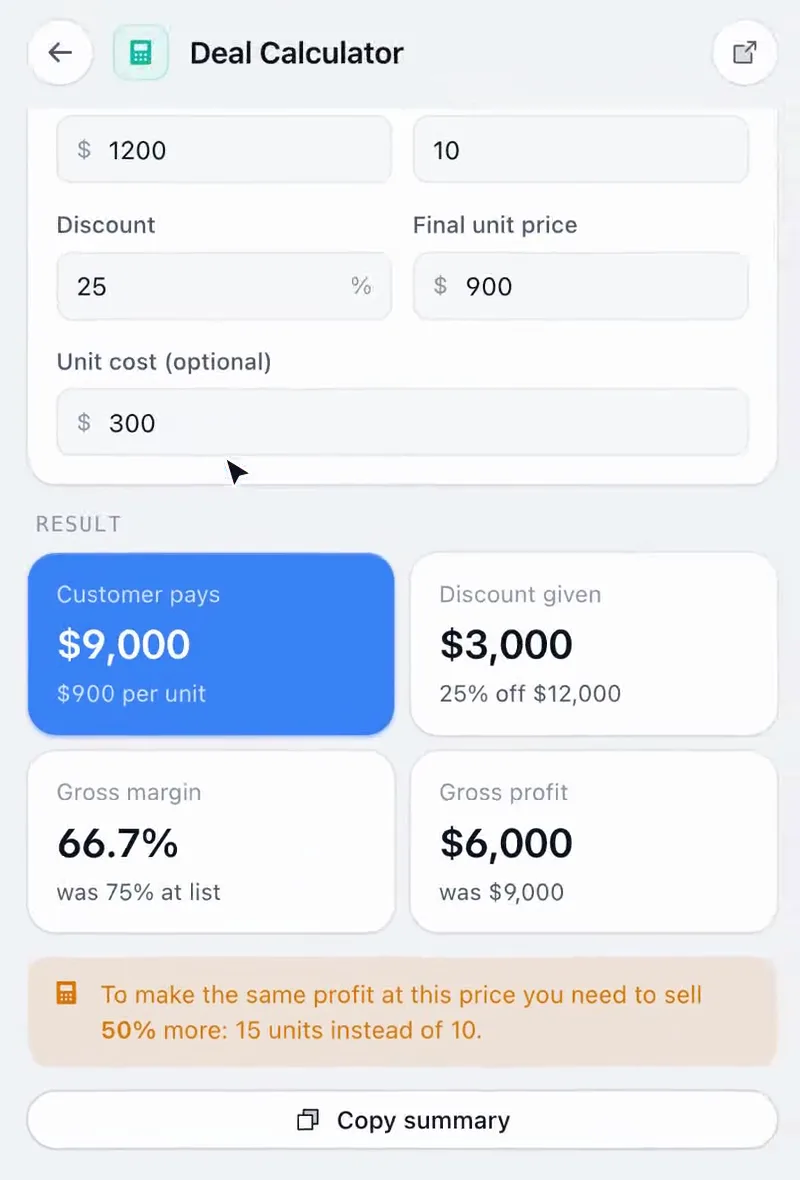
Quantity, unit price and a discount per line, a tax rate and a correct subtotal and total, in 16 currencies.
A clean, printable layout with quote number, date and valid-until date, ready to attach to your email.
One click turns the quote into an invoice with an invoice number, “Bill to” and a due date. Switch back any time.
Logo, company, name, email, phone, address and tax ID. They’re remembered for next time.
Client, line items, quantities, prices, discounts, tax, notes and terms. The preview updates live.
Save as PDF and attach it. When the deal closes, turn it into an invoice.
Send a polished quote while the client is still on the call, without opening an invoicing app.
Consistent, branded quotes from every rep without a CPQ system.
Quote your first customers properly and invoice them from the same document.
From our own short-video series. Sound on.
Same extension, same price. These pair naturally with Quote Builder.
Something else? or email us.
Click Save as PDF. Your browser’s print window opens with the quote laid out on the page; choose “Save as PDF”.
Yes. One click turns a quote into an invoice with an invoice number, “Bill to” and a due date, and you can switch it back.
No. It creates the document. You attach the PDF to your own email and take payment however you normally do.
Your business details and the current quote are saved, and synced to your account when you’re signed in.
No. Quote Builder comes with all 14 tools in Sales Util, for one payment of $29 (the launch price until December 5, then $49). No subscription, and a 14-day refund if it isn’t for you.
Chrome and other Chromium browsers: Edge, Brave, Arc, Opera and Vivaldi. One license covers up to 3 browsers. Firefox and Safari aren’t supported yet.
Every tool in Sales Util, every update, in your browser for good. No subscription.
One-time payment. Goes up to $49 after December 5 (… left).
Get Sales Util14-day refund, no questions asked
Prices in USD. Taxes may apply.
Already bought? Add it to Chrome