Sales Util
Extension · Productivity
 Add to Chrome


 Also in Edge, Brave, Arc & Opera
Step 1
Add it to your browser
One click from the Chrome Web Store. Works in any Chromium browser.
extensionClean lead lists, find emails, pull contacts off any website, convert time zones, write replies and send quotes, without leaving the tab you’re on.
Free to start · No credit card required
Fits right next to the tools you already use
 Gmail
 Google Sheets
 HubSpot
 WhatsApp any CRM that imports CSV Add to ChromeAlso in Edge, Brave, Arc & Opera
One click from the Chrome Web Store. Works in any Chromium browser.
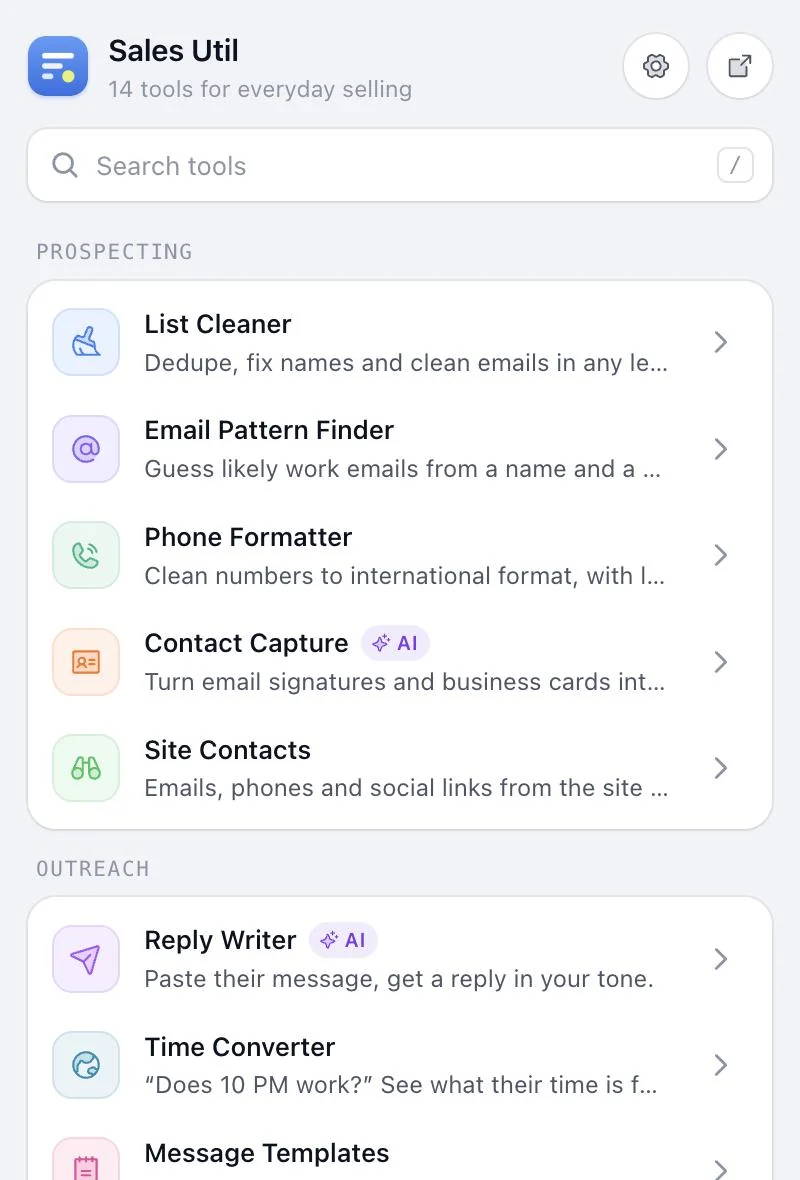
All 16 tools open from your toolbar. Press / to search, or open any tool full screen.
 Claude
 GPT
 Gemini
 DeepSeek
Add your own Claude, GPT, Gemini or DeepSeek key to switch on the 4 AI tools.
Each tool does one thing well, right next to the tab you’re working in.
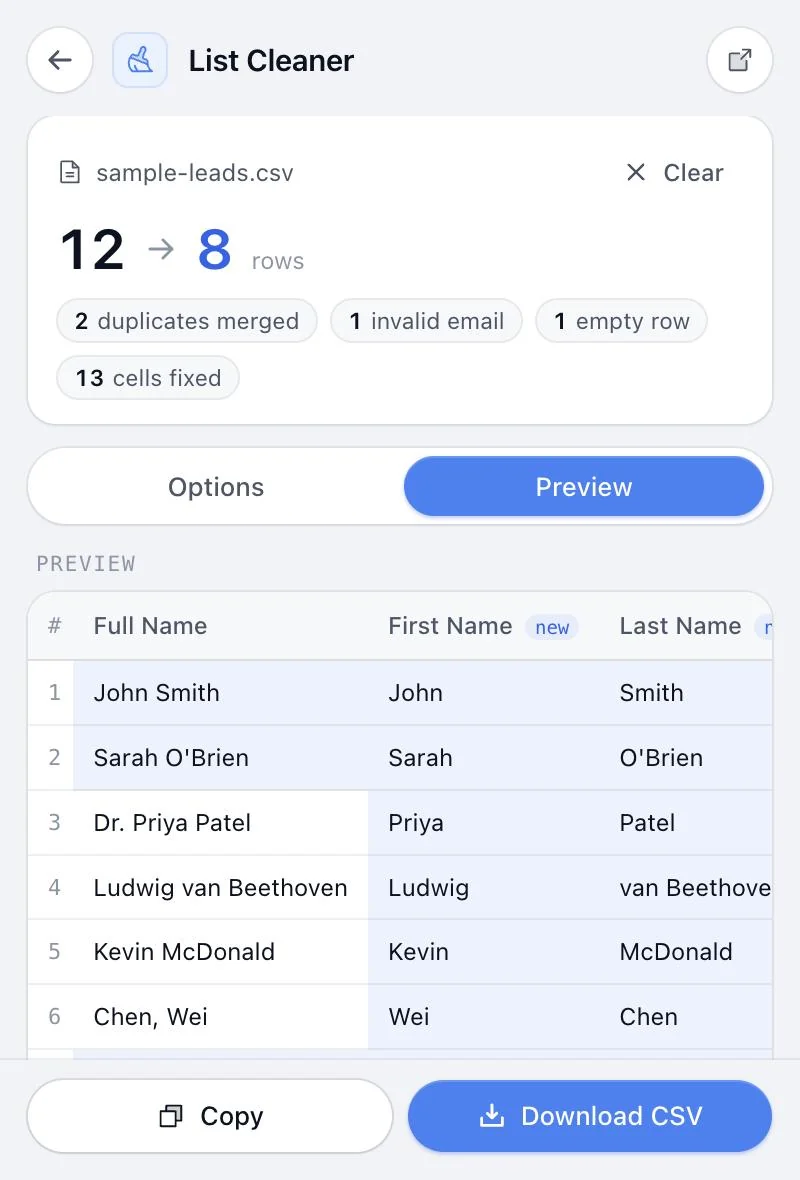
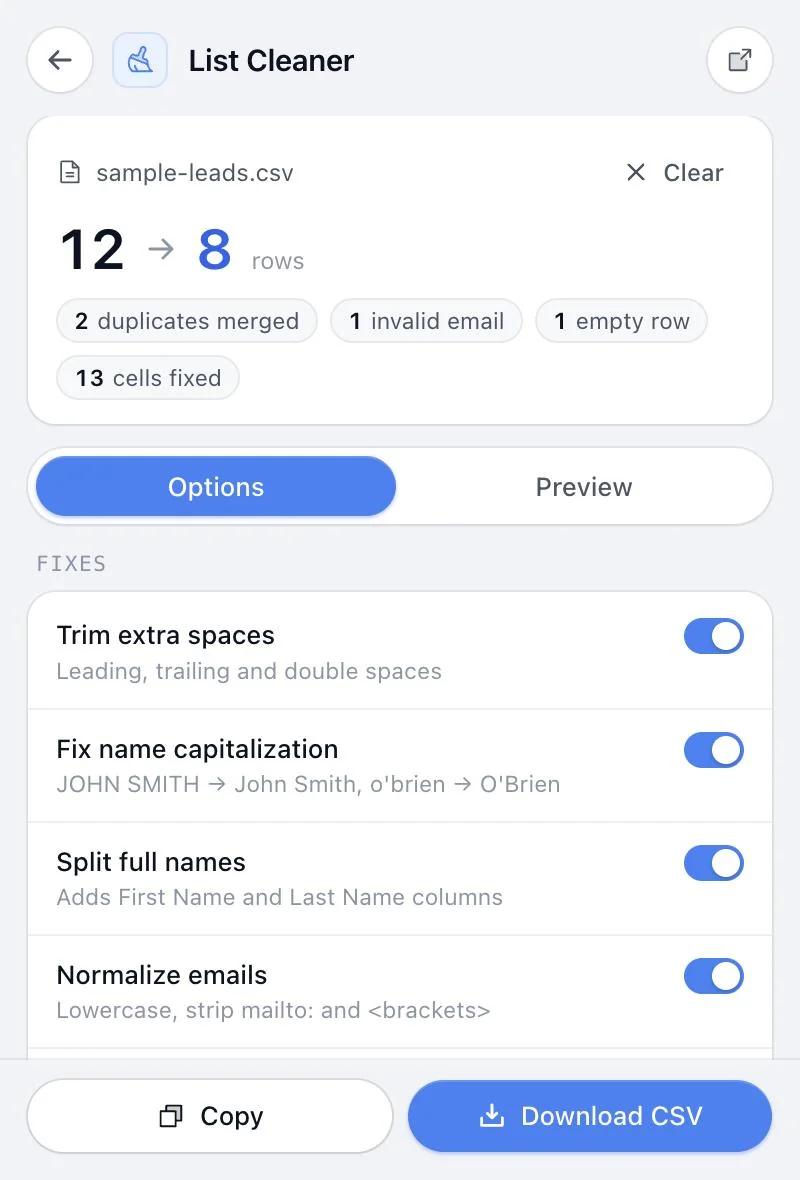
Paste rows from Sheets or drop a CSV. Duplicates merge, names get proper capitals, full names split and broken emails drop out.
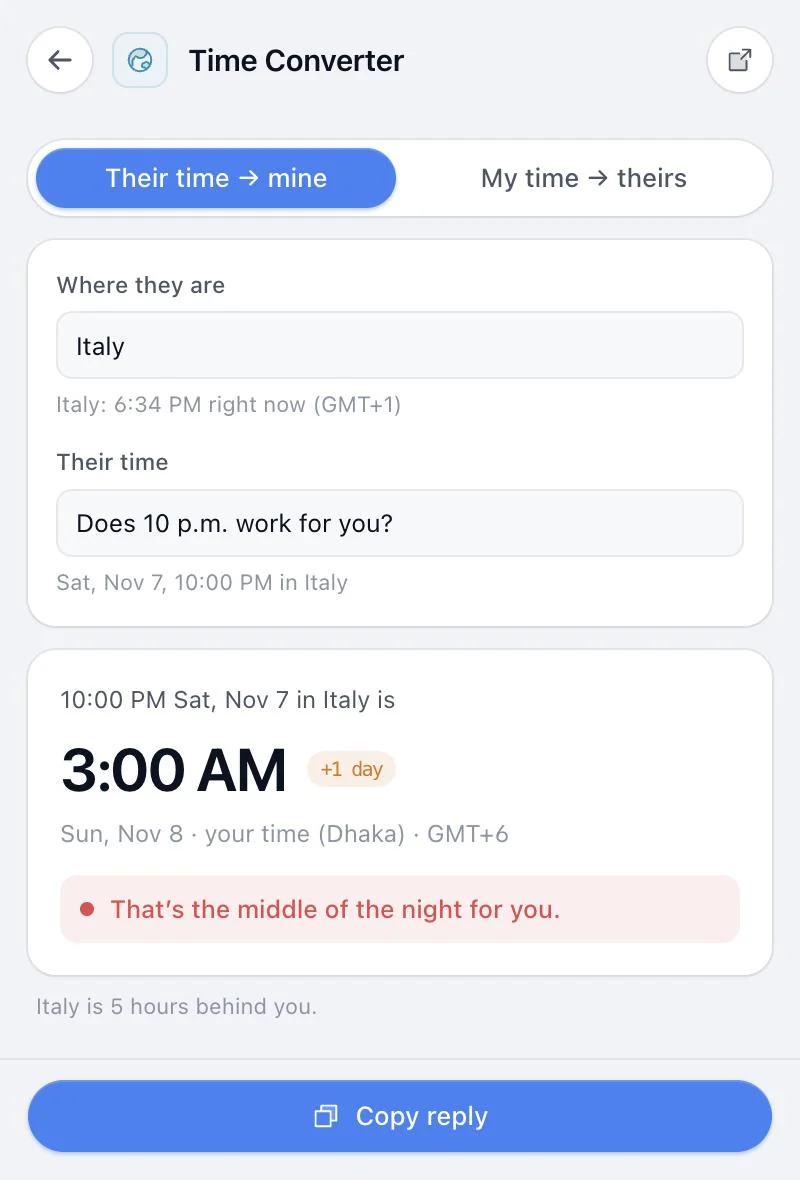
Type where they are and paste their message. See what that is in your time, whether it’s a sane hour for you, and better times for both of you.
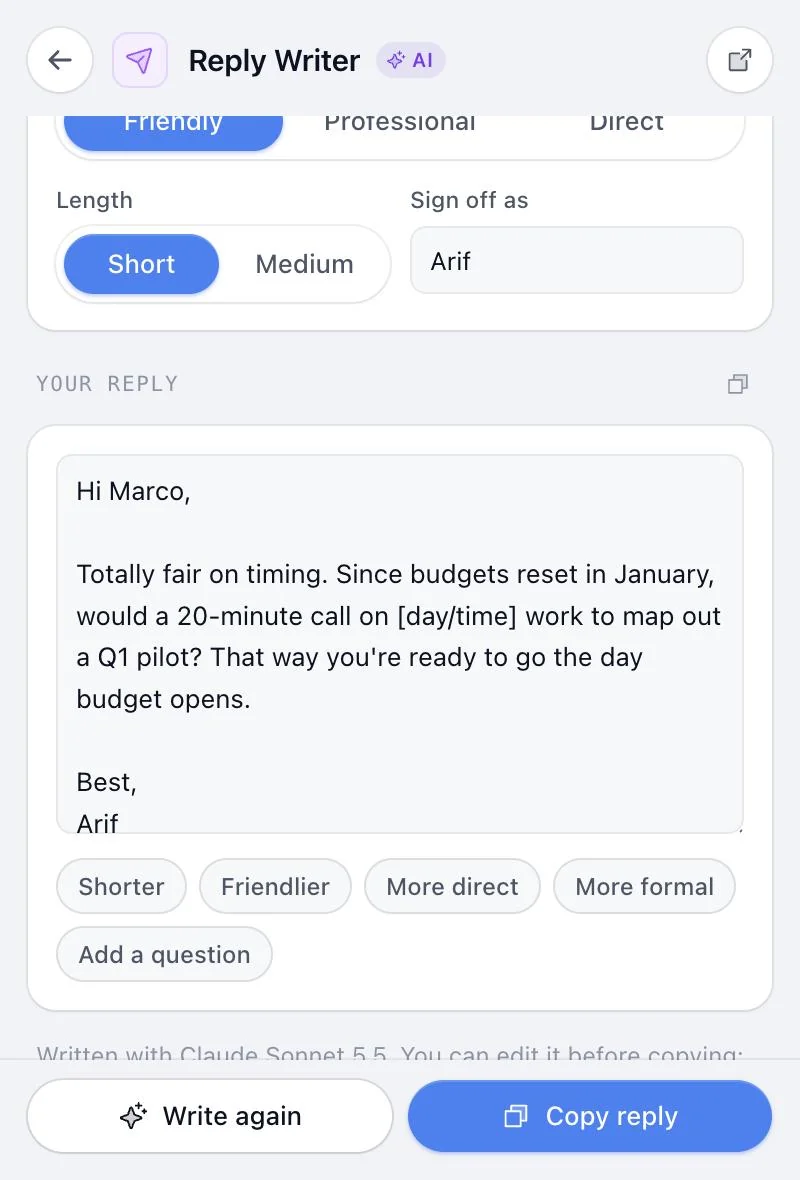
Paste their email, pick what you want (book a meeting, handle pushback, send next steps) and a tone. Then tweak it with one click.
Open it on a prospect’s website. Get what they do, who they sell to, likely pains, three questions to ask and an opening line, all from what’s actually on the page.
A few more of the tools waiting in your toolbar.
Paste a messy signature or snap a business card. Get clean fields, a vCard and a CSV for your CRM.
first.last@, flast@ and 12 more formats from a name and domain, plus a check that the domain gets mail.
Any number to clean international format, with the local time there and one-click call or WhatsApp.
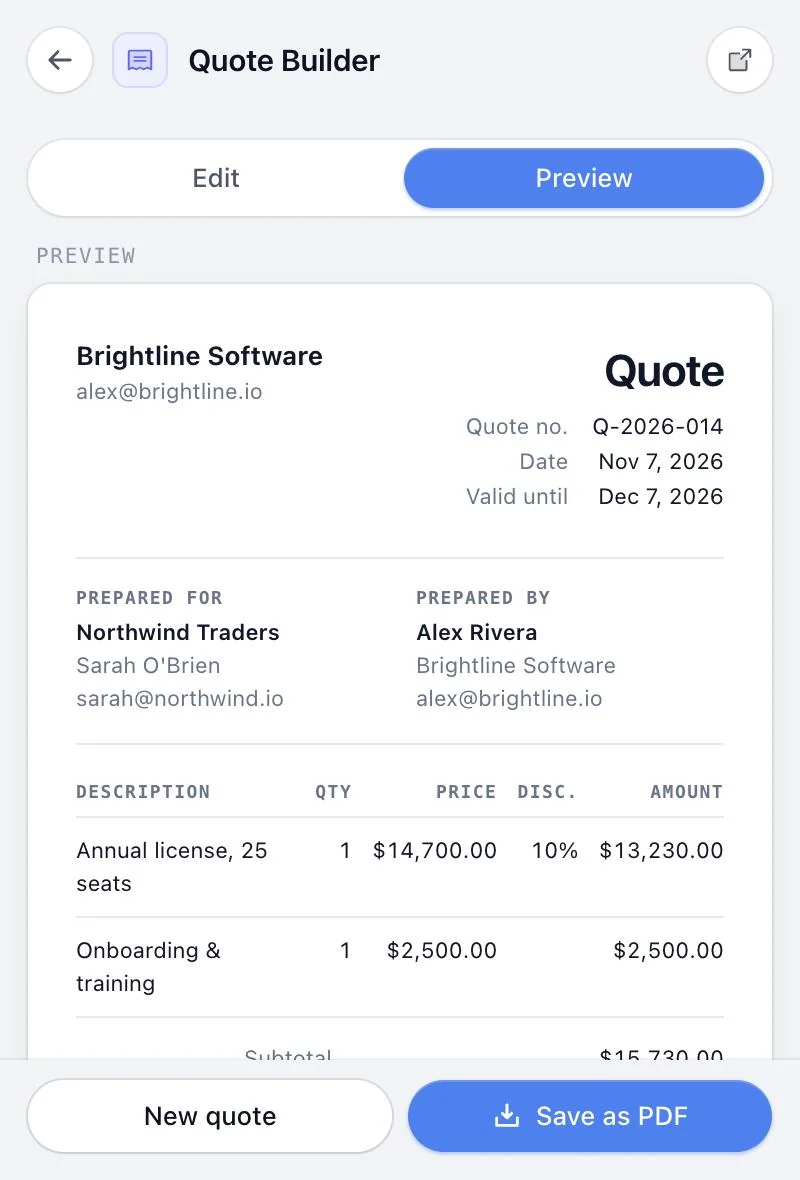
Line items, discounts and tax into a clean PDF quote. Turn it into an invoice with one click.
Bold, italic and bullets that survive pasting into LinkedIn, with a “see more” preview.
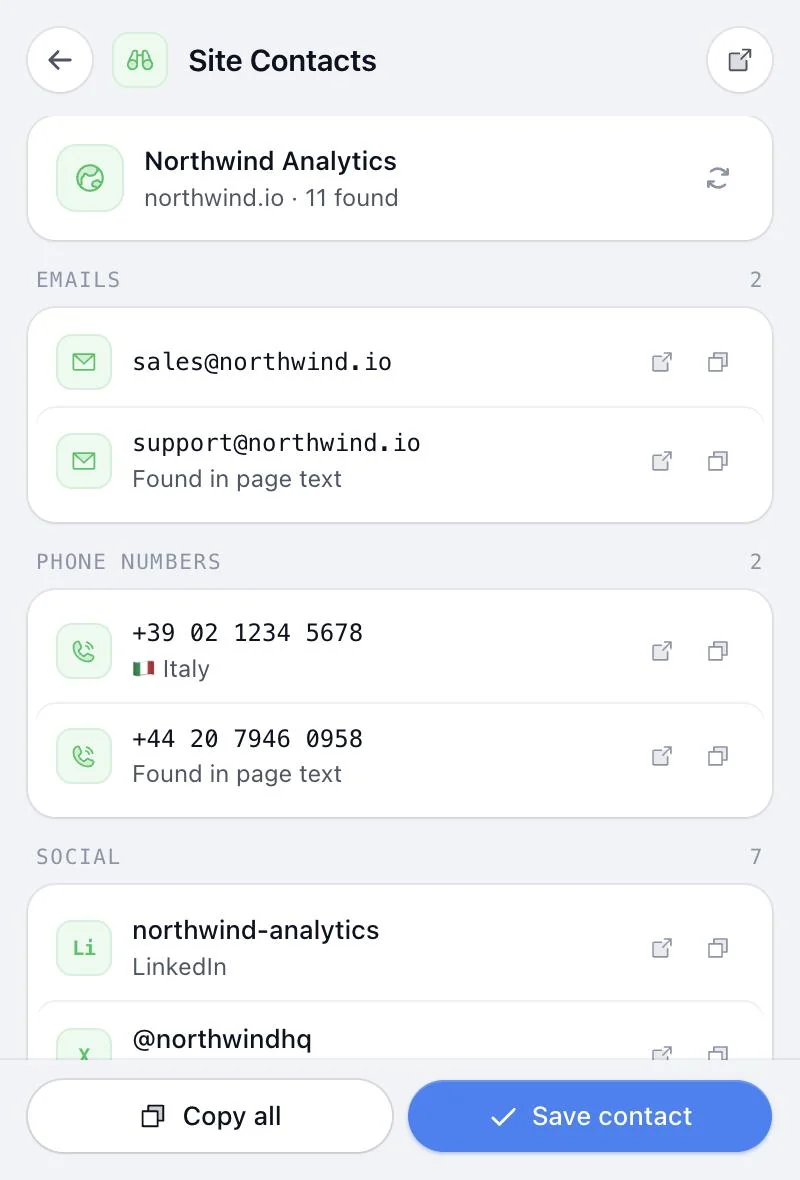
Emails, phone numbers and social profiles from any company site, saved as a contact in one click.
A clean email signature with your logo and a booking button. Paste it into Gmail, Outlook or Apple Mail.
Paste your post and get broad, niche and specific hashtags for LinkedIn, Instagram, X, TikTok or YouTube.
New tools are added over time, and they’re included in your license.
Dedupe, fix names and clean emails in any lead list.
Guess likely work emails from a name and a domain.
Clean numbers to international format, with local time.
Turn email signatures and business cards into contacts.
Emails, phones and social links from the site you’re on.
Paste their message, get a reply in your tone.
“Does 10 PM work?” See what their time is for you.
Reusable emails with {first_name} style fields.
Find good call windows across time zones.
Bold, italic and bullets that survive pasting into LinkedIn.
A clean signature with your photo, logo and a booking button.
Relevant hashtags for your post, sized for each platform.
Add your own key once and every AI tool uses it. You pay the AI company directly at their prices, usually well under a cent per action. No AI plan, no markup.
Encrypted on your device. Never stored on our servers or synced.
It goes with that one request to the AI company you picked, and isn’t logged.
AI is a bonus for the fiddly jobs, not a requirement.
One price, every tool, every update. No subscription.
One-time payment. Goes up to $49 after December 5 (… left).
Get Sales Util14-day refund, no questions asked
Prices in USD. Taxes may apply.
Already bought? Add it to Chrome
Any Chromium-based browser. Firefox and Safari aren’t supported yet.

Something else on your mind? or email us.
Add Sales Util from the Chrome Web Store (link in the footer and in your purchase email), then click “Activate Sales Util” in that email. On another browser, add it there too and paste the license key from the email.
No. You pay once and it’s yours, updates included. No monthly fee, ever.
Yes. If it’s not for you, email hello@salesutils.app within 14 days of buying and we’ll refund you in full, no questions asked.
Lifetime access is $29 until December 5. After that it goes to $49. Same product either way, you just pay less now.
No. 12 of the 16 tools work without any AI. The 4 tools marked AI use your own key from Anthropic (Claude), OpenAI (GPT), Google (Gemini) or DeepSeek.
You pay the AI company directly at their prices, usually well under a cent per action. We don’t mark it up, and there’s no AI plan to subscribe to.
When you’re signed in, what you save (your profile, templates, contacts, notes, quotes, drafts and tool settings) is stored in your account, so it’s there in any browser. Two things never leave your browser: your AI keys, which are encrypted and kept only on your device, and the lead lists you clean. We never sell your data.
Only to sync across browsers and to use the AI tools. Everything else works without signing in.
Chrome and other Chromium browsers: Edge, Brave, Arc, Opera and Vivaldi. Firefox and Safari aren’t supported yet.
Yes, and they’re included. New tools show up in the extension as they ship.
All 16 tools in your browser, for one payment.
Free to start · No credit card required